
Enterprise ID Card Printing: A Complete Guide for HR and Admin Teams
Every day, employees walk through doors, clock into shifts, and access secure systems using one small credential: their ID card. For HR and admin teams at growing enterprises, managing a professional, secure, and efficient ID card printing program is more than a convenience; it is a critical part of workplace security and operational continuity.
Whether you are setting up an ID issuance program from scratch or improving an existing system, this guide covers everything you need to know, from choosing the right card printer to best practices for in-house badge issuance.
Why Enterprise ID Card Printing Matters
Employee ID cards serve a wide range of functions that go far beyond simple identification. In a corporate environment, a well-designed badge system can:
- Control physical access to buildings, floors, and restricted zones
- Track time and attendance automatically when integrated with HR software
- Enable cashless payments in canteens or vending machines
- Provide logical access to IT networks and workstations
- Reinforce brand identity and a professional organizational culture
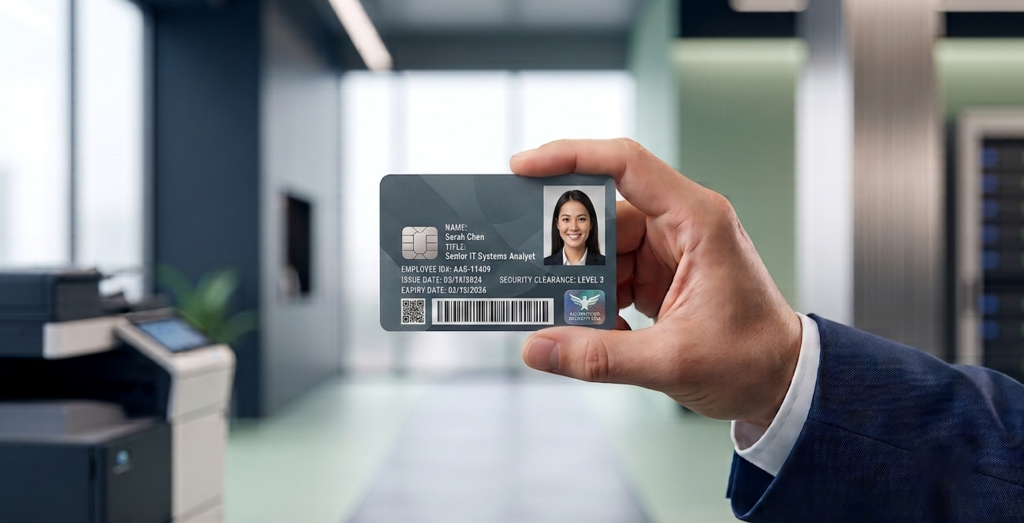
For HR and admin teams, the challenge is not just what to print, but how to manage the entire lifecycle of a credential, from onboarding to offboarding.
In-House vs. Outsourced Printing: Which Is Right for You?
One of the first decisions HR teams face is whether to print ID cards in-house or outsource the process. Each approach has clear trade-offs.
In-House Printing
With a dedicated card printer on-site, your team can issue badges quickly for new hires, lost card replacements, or temporary visitor passes. In-house printing also gives organizations greater control over sensitive employee data and can reduce recurring costs for organizations with regular card issuance needs.
However, in-house printing requires suitable hardware, consumables, routine maintenance, and staff who can manage the printing process.
Outsourced Printing
For organizations with low issuance volumes or those without the resources to manage printing equipment, outsourcing can simplify operations. It allows organizations to obtain professionally printed cards without managing the printing process internally. The trade-off may be longer turnaround times and less flexibility when replacements or new cards are needed urgently.
Recommendation: For organizations that regularly issue employee, student, membership, or visitor cards, the right approach depends on issuance volume, security requirements, turnaround time, and available resources. Reliable card printing services and professional printer maintenance can help organizations keep their card programs running smoothly.
Choosing the Right ID Card Printer for Your Enterprise
Not all card printers are built for the same environments. When evaluating a printer for an enterprise ID card printing program, HR and admin teams should consider the following key factors:
1. Print Volume and Speed
Entry-level printers are generally suited to smaller organizations with occasional printing needs, while higher-capacity models are designed for organizations that issue large numbers of cards. Actual speed and annual capacity vary by model, card design, and printing configuration.
Match the printer to your current issuance requirements and expected growth. Schools, universities, gyms, and business centers should also consider seasonal demand, such as student registration periods, membership renewals, and employee onboarding.
2. Print Technology: DTC vs. Retransfer
Direct-to-Card (DTC) printing applies ink directly to the card surface. It is commonly used for standard employee photo ID badges and offers a practical solution for many everyday identification needs. Depending on the printer, card design, and printing process, a small unprinted border may remain around the card edges.
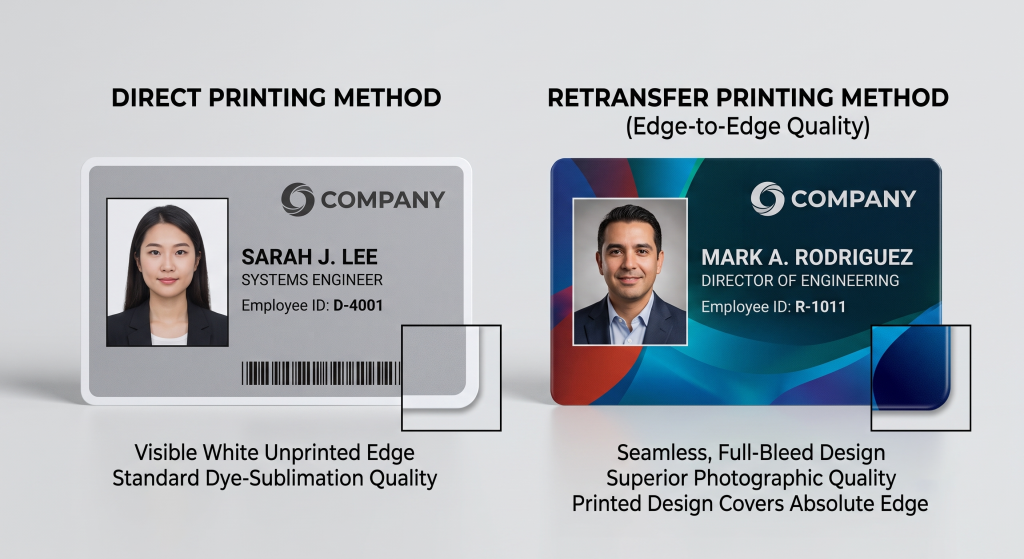
Retransfer printing (HDP) first prints the design onto a clear film, which is then thermally fused to the card surface. This process can deliver edge-to-edge printing and is suitable for applications requiring detailed graphics or compatibility with certain smart cards.
For organizations that need high-quality visual identification or cards with embedded chips, the appropriate printing technology depends on the card material, security requirements, and printer specifications.
3. Encoding Capabilities
Modern enterprise ID cards can support multiple functions beyond identification. Depending on the intended application, card systems may use:
- Magnetic stripe: for compatible legacy access systems and time-tracking
- Contact smart card: for secure logical access and supported authentication applications
- Contactless (RFID/NFC): for compatible access control and tap-and-go applications
- Barcode or QR code: for membership verification, inventory, canteen, or visitor management
Before selecting a printer, confirm that it supports the card technology and encoding requirements of your existing access control or membership system.
4. Security Features
Enterprise environments should evaluate security features across the complete card issuance process, including:
- Restricted access to blank card stock
- Firmware security features, where supported
- User authentication and audit logging in card issuance software
- Security elements such as holographic overlays and UV printing, where appropriate
The right combination depends on the sensitivity of the application and the risk of unauthorized card duplication.
5. Software Integration
Your card printing setup should work with the systems used to manage employee records, student information, memberships, access control, or visitor registration. Depending on the software, an issuance workflow may include photo capture, template management, data import, print queues, and credential activation.
For schools, universities, gyms, and business centers, a well-organized workflow can simplify registration, membership renewals, and replacement card requests while reducing manual errors.
Card Types: What Material Should You Choose?
The physical card material affects durability, security, and overall card lifespan. Common options include:
- PVC cards: The industry standard for many identification applications. Lightweight, affordable, and suitable for standard employee IDs, student cards, and membership cards.
- Composite cards (PVC/PET): Designed to offer additional durability compared with standard PVC cards, making them suitable for demanding environments and frequent daily use.
- Polycarbonate cards: Often used for high-security credentials. Certain polycarbonate cards support laser engraving and other durable personalization methods, making them suitable for applications with demanding security requirements.
The best choice depends on how frequently the card will be used, the expected lifespan, the printing technology, and any access control or security requirements.
Best Practices for an Enterprise ID Card Issuance Program
Even with the right hardware, a poorly managed issuance program can create security gaps. Here are the best practices HR and admin teams should follow:
Establish a Formal Badge Policy
Define clear rules covering who issues badges, what information appears on each card type (employee, contractor, student, member, or visitor), how lost or stolen cards are reported and deactivated, and when cards must be returned or deactivated during offboarding.
Train Staff on Proper Badge Usage
Issuing a card is only the beginning. Employees, students, and members should understand the importance of not sharing credentials, reporting lost cards promptly, and following applicable access control policies. Clear instructions during onboarding or registration can help reduce avoidable security incidents.
Conduct Regular Audits and Updates
Enterprise card programs should be reviewed regularly to deactivate expired credentials, update employee or student information, and verify that the issuance process remains reliable. The frequency of these checks should reflect the organization’s size, security requirements, and card usage.
Plan for Instant Issuance Scenarios
Not all badges can be scheduled in advance. Visitor passes, new student registrations, membership cards, and lost card replacements may require immediate issuance. Organizations should plan a process that supports on-demand printing or quick access to a card printing service.
Consider a Centralized vs. Distributed Issuance Model
Larger organizations with multiple sites may benefit from centralized card management combined with printing capabilities at individual locations. This approach allows the organization to maintain consistent card templates and data policies while local HR, administration, or registration teams manage day-to-day issuance.
How Elidiso Supports ID Card Printing and Maintenance
Elidiso provides ID card printing services and card printer maintenance for organizations that need reliable identification cards and ongoing support for their printing equipment.to high-throughput systems for large-scale enterprise issuance.
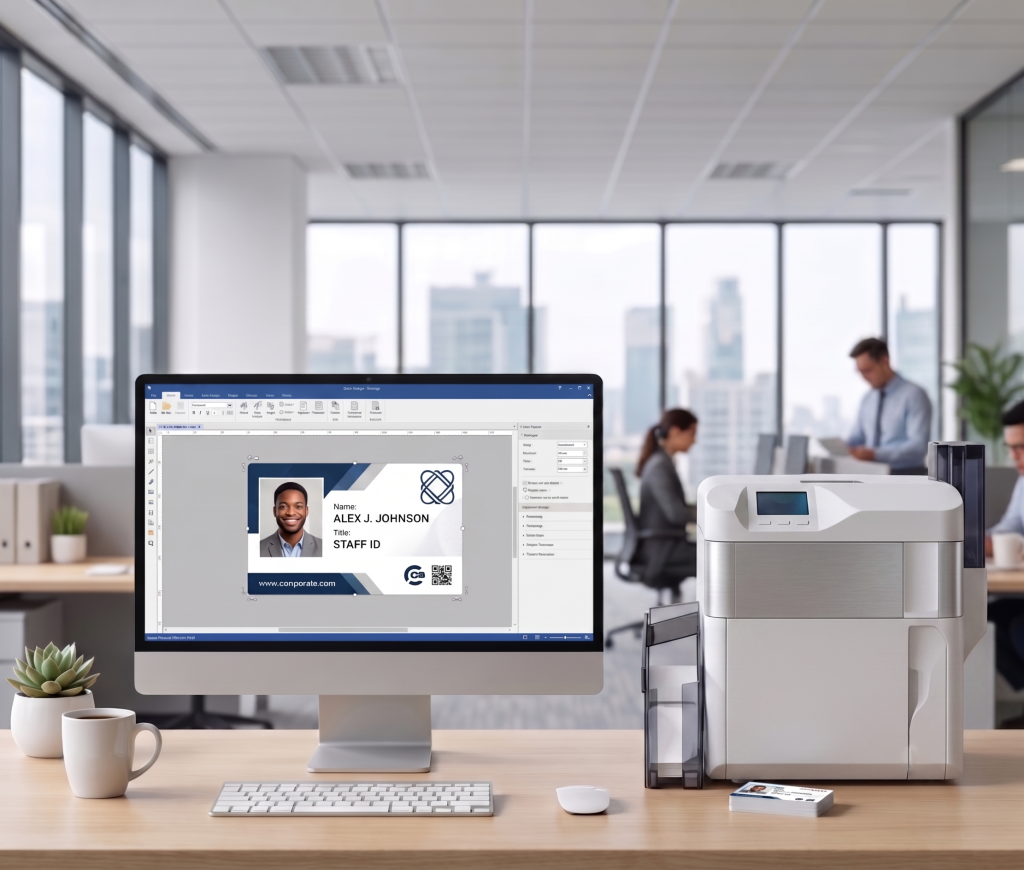
Our services are relevant to a range of organizations, including:
- Schools and universities: Student ID cards, staff identification, and replacement cards
- Gyms and fitness clubs: Membership cards for member identification and registration
- Business centers: Employee, tenant, and visitor identification cards
- Companies and organizations: Employee badges and other organizational identification cards
In addition to card printing, Elidiso supports organizations with card printer maintenance to help address equipment issues and maintain reliable printing operations. Regular maintenance can help identify potential problems, reduce avoidable downtime, and support consistent print quality.
Whether your organization needs cards for students, employees, members, or visitors, Elidiso can help with its card printing and maintenance requirements.
Contact our team to discuss your ID card printing needs or inquire about card printer maintenance for your organization.
Final Thoughts
Enterprise ID card printing is not simply an HR administrative task; it is an important part of workplace security, operational efficiency, and professional identity. By selecting an appropriate printing setup, establishing clear issuance procedures, and maintaining reliable equipment, organizations can build a card program that adapts to their changing needs.
For schools, universities, gyms, business centers, and enterprises, professional card printing and timely printer maintenance can help keep identification processes organized and dependable.